Applet
Java applets were the original way to run Minecraft. It worked by allowing the Java game to run in the web browser for players to access without having to download a launcher or client. The pages that allowed running Minecraft in the browser were gradually taken down after the Minecraft Launcher was released, superceding browser play.
Minecraft was originally hosted as an applet on Mojang.com before being moved to Minecraft.net.
Different development phases of the game were hosted at different URLs. This meant that players could use newer test builds while still having access to the stable game. The exception is mptest, which overwrites the clients used by other pages.
Java applets were the original way to run Minecraft. It worked by allowing the Java game to run in the web browser for players to access without having to download a launcher or client. The pages that allowed running Minecraft in the browser were gradually taken down after the Minecraft Launcher was released, superceding browser play.
Hosting
Minecraft was originally hosted as an applet on Mojang.com before being moved to Minecraft.net.
Different development phases of the game were hosted at different URLs. This meant that players could use newer test builds while still having access to the stable game. The exception is mptest, which overwrites the clients used by other pages.
Applet pages
| URL [note 1] |
Created | Taken offline | Game versions |
|---|---|---|---|
| www. |
May 16, 2009 | Dec 11, 2014 ~ May 19, 2015 |
mc-161607–0.0.12a_03 |
| www. |
May 22, 2009 | Sep 8~15, 2011 |
Classic 0.0.13a–0.0.14a_08; 0.0.16a_02 (final reupload) – 0.0.23a_01; & 0.28–0.30 Creative |
| www. |
May 31, 2009 | ? | Classic 0.0.15a-1–0.0.15a_03 |
| www. |
June 7, 2009 | Jun 12, 2009 ~ Nov 2016; probably 2010 | Classic 0.0.16a–0.0.16a_02 |
| www. |
Sep 1, 2009 | Dec 12~17, 2010 | Classic 0.24_SURVIVAL_TEST – 0.27 SURVIVAL TEST & 0.30 Survival |
| www. |
Dec 23, 2009 | Sep 18, 2010 | Indev 0.31-20091223 – 20100223 |
| www. |
Feb 27, 2010 | Sep 18, 2010 | Infdev 20100227 – 20100627 |
| www. |
Jun 29, 2010 | Sep 8~15, 2011 | Infdev 20100629 – Beta 1.7.3 |
| www. |
Jul~Sep 2011 | Oct 20 ~ Nov 23, 2016 | Beta 1.8 – release 1.5.2 |
| www. |
Sep 8~15, 2011 | Oct 2~12, 2015 | Classic 0.30_01c |
| minecraft.net/demo | ? | ? | ? |
Other pages
- minecraft.net/infdev/preview.jsp
- Level previewer
HTML code
This is a sample of the applet code, from May 25, 2009:[1]
<applet code="org.lwjgl.util.applet.AppletLoader" archive="client/lwjgl_util_applet.jar, client/lzma.jar" codebase="" width="854" height="480">
  <param name="al_title" value="Minecraft" />
  <param name="al_main" value="com.mojang.minecraft.MinecraftApplet" />
  <param name="al_logo" value="client/logo_small.png" />
  <param name="al_progressbar" value="appletprogress.gif" />
  <param name="al_jars" value="client/lwjgl_applet.jar.pack.lzma, client/lwjgl.jar.pack.lzma, client/jinput.jar.pack.lzma, client/lwjgl_util.jar.pack.lzma, client/res.jar.lzma, client/minecraft.jar" />
  <param name="al_windows" value="client/windows_natives.jar.lzma" />
  <param name="al_linux" value="client/linux_natives.jar.lzma" />
  <param name="al_mac" value="client/macosx_natives.jar.lzma" />
  <param name="al_solaris" value="client/solaris_natives.jar.lzma" />
  <param name="al_version" value="5.17" />
  <param name="separate_jvm" value="true" />
  <param name="java_arguments" value="-Dsun.java2d.noddraw=true -Dsun.awt.noerasebackground=true -Dsun.java2d.d3d=false -Dsun.java2d.opengl=false -Dsun.java2d.pmoffscreen=false" />
  <param name="al_bgcolor" value="000000" />
  <param name="al_fgcolor" value="ffffff" />
  <param name="al_errorcolor" value="ff0000" />
  <param name="al_prepend_host" value="true" />
</applet>
al_version is an identifier used to determine whether to pull an existing version from disc cache. The rest of the parameters either set up the jar entry points or Java environment or set up the visual display of the applet.
Storage locations
The .jar is downloaded to the user's temporary folder on disc.
The subpath of the temporary folder differs based on the applet page the game is being played on.
| URL | Temp directory |
|---|---|
www.mojang.com,( www.)minecraft.net,( www.)minecraft.net
|
%temp%
|
(www.)minecraft.net,( www.)minecraft.net,( www.)minecraft.net
|
%temp%(www.)minecraft.net
|
(www.)minecraft.net
|
%temp%(www.)minecraft.net
|
(www.)minecraft.net
|
%temp%(www.)minecraft.net
|
(www.)minecraft.net
|
%temp%(www.)minecraft.net
|
Starting from Infdev 20100629, it is now located on disc at
%appdata%/.minecraft/bin/ (used by minecraft.net/game/).
Gallery
Classic
-
 Applet with start error of 0.0.11a
 -
 0.0.12a_03
 -
 0.0.13a_03
 -
 0.0.14a_08
 -
 0.0.15a (Multiplayer Test 1)
 -
 0.0.15a (Multiplayer Test 5)
 -
 0.0.16a_01
 -
 0.0.16a_02
 -
 0.0.17a
 -
 0.0.18a_02
 -
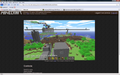 0.0.19a_06
 -
 0.0.20a_02
 -
 0.0.21a_01
 -
 0.0.22a_05
 -
 0.0.23a_01
 -
 0.24_SURVIVAL_TEST_03
 -
 0.25_05 SURVIVAL TEST
 -
 0.26 SURVIVAL TEST
 -
 0.27 SURVIVAL TEST
 -
 0.28_01
 -
 0.29_02
 -
 0.30
0.30 -
 Ditto (Survival)


_Players.png)


Indev
-
 Indev 0.31 20100109-2000
 -
 Indev 0.31 20100114
 -
 Indev 0.31 20100125
 -
 Indev 0.31 20100131-2244
 -
 Indev 0.31 20100202
 -
 Indev 0.31 20100205-1558
 -
 Indev 0.31 20100205-2241
 -
 Indev 20100206-2103
 -
 Indev 20100207-1703
 -
 Indev 20100211-2340
 -
 Indev 20100214
 -
 Indev 20100223


Infdev
-
 Infdev 20100227-1433
 -
 Infdev 20100327
 -
 Infdev 20100330-1611
 -
 Infdev 20100607
 -
 Infdev 20100611
 -
 Infdev 20100616-1808
 -
 Infdev 20100616-2210
 -
 Infdev 20100617-1531
 -
 Infdev 20100618
 -
 Infdev 20100625-0922
 -
 Infdev 20100627
 -
 Infdev 20100627, after Alpha 1.0.6 (note the message saying to play Alpha instead)


Alpha
-
 Alpha v1.0.2_02
 -
 Alpha v1.0.4
 -
 Alpha v1.0.6_03
 -
 Alpha v1.0.10
 -
 Alpha v1.0.11
 -
 Alpha v1.0.12
 -
 Alpha v1.0.13
 -
 Alpha v1.0.14
 -
 Alpha v1.0.15
 -
 Alpha v1.0.16_02
 -
 Alpha v1.0.17_02
 -
 Alpha v1.0.17_04
 -
 Alpha v1.1.0
 -
 Start error of Alpha v1.1.1
 -
 Alpha v1.1.2
 -
 Alpha v1.1.2_01
 -
 Alpha v1.2.0_01
 -
 Alpha v1.2.2
 -
 Alpha v1.2.3_01
 -
 Alpha v1.2.3_02
 -
 Alpha v1.2.5


Beta
-
 Beta 1.1
 -
 Beta 1.1_02
 -
 Beta 1.2
 -
 Beta 1.2_02
 -
 Beta 1.4_01
 -
 Beta 1.5
 -
 Beta 1.5_01
 -
 Beta 1.6.6
 -
 Beta 1.7.3
 -
 Beta 1.8.1


Release
-
 1.2.5
1.2.5 -
 1.4.7
1.4.7

.png)
Misc
-
 Infinite Map Visualizer with Infdev

Trivia
- This software had a size of around 4.5 MB, excluding additional assets.[citation needed]
- The applet version relied on the Java browser plugin, which was later considered insecure and then discontinued.[2]
See also
- al_version, used to track unique builds of the applet game for caching
Notes
- ↑ The
index.jspin the URLs is optional. - ↑ All minecraft.net URLs may have optional subdomain
wwwin addition to the bare domain. For mojang.com, thewwwsubdomain is the only one. - ↑ Applet removed between May 22 and June 27, 2009.
- ↑ Redirected to /classic/play from this point until site redesign in May 2016 (even when /classic/play was taken down).
References
- ↑ minecraft.net/play.jsp (Source code) – Wayback Machine, May 25, 2009.
- ↑ "Java Browser Plugin is Dead, Long Live HTML5!" by David Maciejak – Fortinet, February 6, 2016.
Navigation
| |||||||||||||||||||||||
| |||||||||||||||||||||||
| |||||||||||||||||||||||||
| |||||||||||||||||||||||||


